How to manage Repositories
Asset Repositories manages the repository locations that are searched when discovering Modules and Application Templates. The official Intent Architect server https://intentarchitect.com/ is available as a repository hosting all the official (and largely Open Source) Modules for use. Additional sources can be added too which can point to a physical drive, remote/network locations or the URL of a self-hosted module server.
Locate the Manage Repositories dialog
There are a few ways to locate the Repository Management dialog.
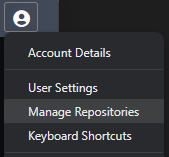
Profile Menu
From any screen within Intent Architect, click on the top right Profile menu and select Manage Repositories.
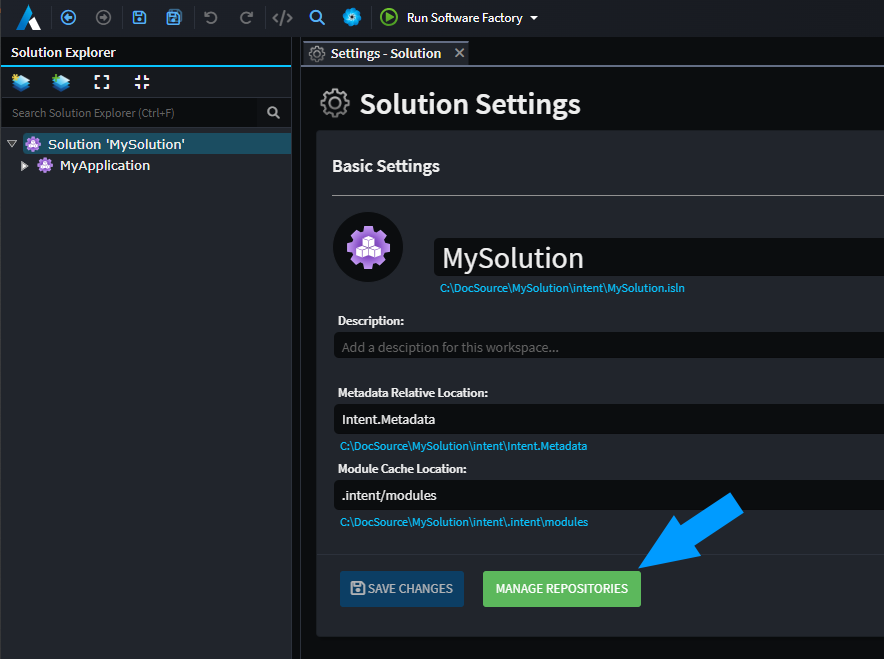
Solution Settings
Within the Intent Architect solution settings locate the Manage Repositories button like below.
Modules
Within any Modules view, locate the gear icon at the top right of the screen.

Repository Management layout
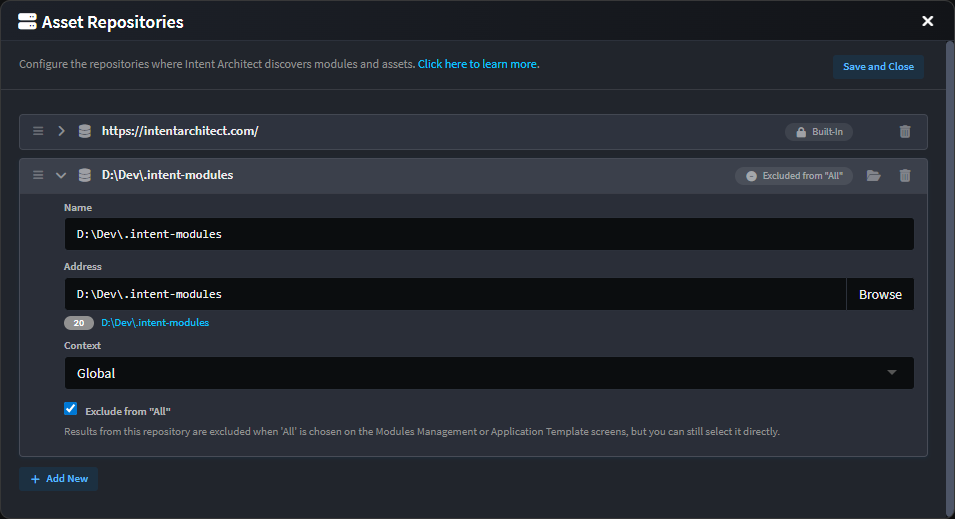
At the very least you will always see the Intent Architect repository listed here, it's built-in and cannot be modified or removed on this screen.
A new Repository can be added by clicking on the Add New button, and one can browse to the desired location by clicking on the Browse button in order to set the Repository location. This location can be any valid path for your operating system, including relative (for solution level repositories) paths, fully qualified paths, UNC paths or the URL for a self-hosted module servers.
The arrow buttons allow you to adjust the order in which Intent Architect searches in each Repository. The top most Repository will be visited first and the bottom most Repository will be visited last.

Each Repository has a hyperlink (clicking on it opens up your File explorer on that location) and a counter badge next to it (indicating how many modules it detected at that location).
Repository Context
Each configured Repository has a Context dropdown with the following options:
| Name | Description |
|---|---|
| Global | Intent Architect will save this Repository's configuration in your operating system's user folder and it can be used in any Intent Architect Solution for your user. |
| Current Solution | Intent Architect will save this Repository's configuration in an intent.repositories.config file in the same folder as the Solution's .isln file and it will only be used by the current Solution's Applications. |
| Exclude from "All" | Results from this repository are excluded when 'All' is chosen on the Modules Management or Application Template screens, but you can still select it directly. |