What's new in Intent Architect (July 2026)
Welcome to the July 2026 edition of highlights of What's New in Intent Architect. Here's a roundup of the latest updates and improvements.
- Highlights
- NServiceBus Module – Integrates NServiceBus as a message broker for publishing and subscribing to integration events and commands with multi-transport support.
- SLNX Support for Visual Studio Solutions – Generate modern XML-based
.slnxsolution format for Visual Studio 2022 17.10 and .NET 10, replacing the traditional.slnformat.
Update details
NServiceBus Module
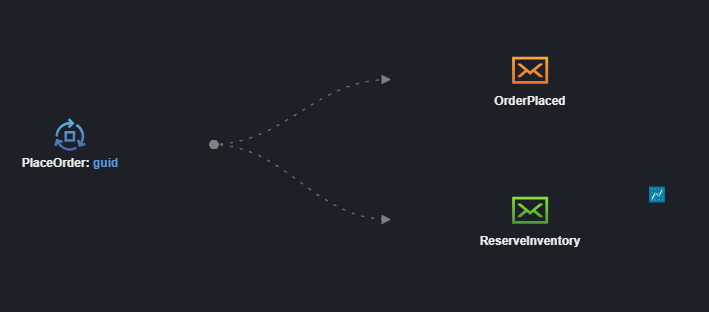
The Intent.Eventing.NServiceBus module integrates NServiceBus as a message broker for publishing and subscribing to integration events and commands in .NET applications.
Key features:
- Modeling Integration Events and Integration Commands in the Services Designer
- Support for multiple transport technologies:
- Learning Transport (file-based, ideal for development)
- RabbitMQ
- Azure Service Bus
- Amazon SQS
- SQL Server
- NServiceBus endpoint configuration generation with automatic dependency injection wiring
- SQL Persistence transactional outbox (with EF Core shared connection)
- Command routing and message handler generation
- Multi-broker coexistence support via the NServiceBus stereotype
- .NET 8/9 and .NET 10+ host registration
The module simplifies distributed messaging patterns by handling transport configuration, serialization, recoverability policies, and message routing—allowing you to focus on your business logic.
Available from:
- Intent.Eventing.NServiceBus 1.0.0
SLNX Support for Visual Studio Solutions
The Visual Studio Projects module now supports generating modern XML-based .slnx solution files introduced in Visual Studio 2022 and .NET 10, providing an alternative to the traditional .sln format.
Benefits of .slnx format:
- Simpler to read and diff – Human-readable XML structure
- No GUIDs – Removes cryptic GUID identifiers
- No configuration-platform boilerplate – Eliminates redundant build configuration entries
- More maintainable – Easier to understand and manage in version control
How to use:
Apply the Visual Studio Solution Options stereotype to your solution element and set the Solution File Format property to XML Solution (.slnx). When you run the Software Factory, it will generate the new format and automatically remove the old .sln file.
Note
The .slnx format requires Visual Studio 2022 17.10 or later, or the .NET 10 SDK.
Available from:
- Intent.Modules.VisualStudio.Projects 4.1.3