What's new in Intent Architect (December 2025)
Welcome to the December edition of What’s New in Intent Architect.
We’re thrilled to announce that our team has been working diligently on our next front end automation, Angular -a long-term goal we are excited to achieve. The initial release includes application setup, UI modeling and AI generated views.
Highlights
- Angular UI Automation – Define your pages and navigation, and let Intent Architect’s deterministic code generation, combined with AI, generate an Angular application.
- AI-Powered Unit Test Generation – Enhanced unit test generation for CQRS handlers, Integration/Domain Events, and Domain Services with improved quality.
- Multiple Message Bus Providers – Run multiple eventing providers simultaneously with intelligent message routing and composition.
- 2 New Fundamentals training videos – More videos covering the core concepts of Intent Architect.
More updates
- .NET 10 support – Full support for targeting .NET 10.
- System Suggestions – Intent Architect will now show a dialog on startup if there are any strongly recommended System Suggestions to be applied.
- Paged endpoint defaults - Support added for application-wide default paging values for all paged endpoints.
- Cache eviction modelling - Endpoints can now be configured to explicitly evict cached data when they are invoked.
Update details
Angular UI Automation
When creating new applications, a new Angular Web Application template is now available (currently in Beta), enabling you to use Intent Architect to rapidly build professional Angular UIs. It combines deterministic, pattern-based code generation for TypeScript with non-deterministic, AI/LLM-driven generation for views and styling.
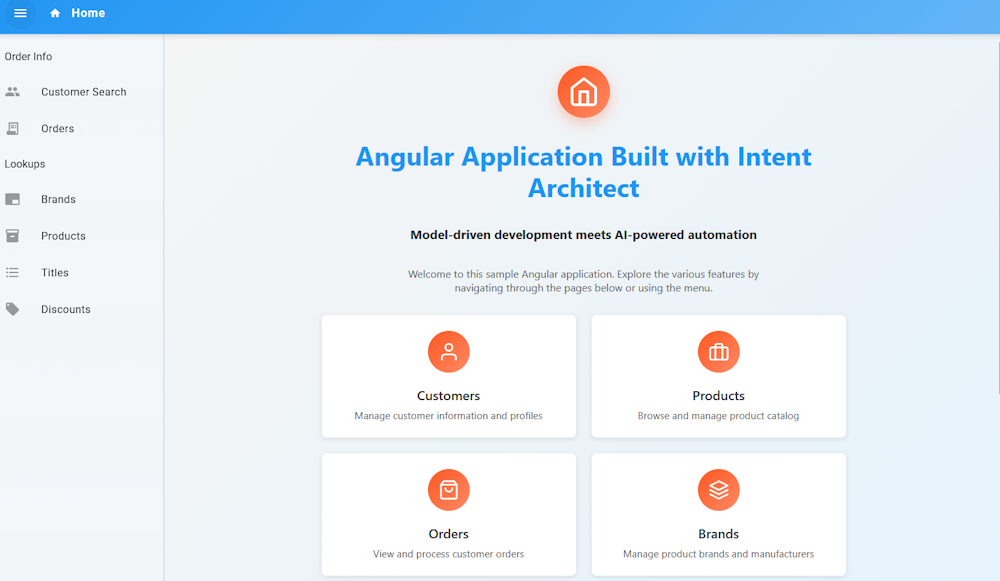
An Angular sample application is also available from the Create New Solution -> Explore Samples screen in Intent Architect.
Documentation on Angular UI Modeling with AI is available on the docs website.
AI-Powered Unit Test Generation
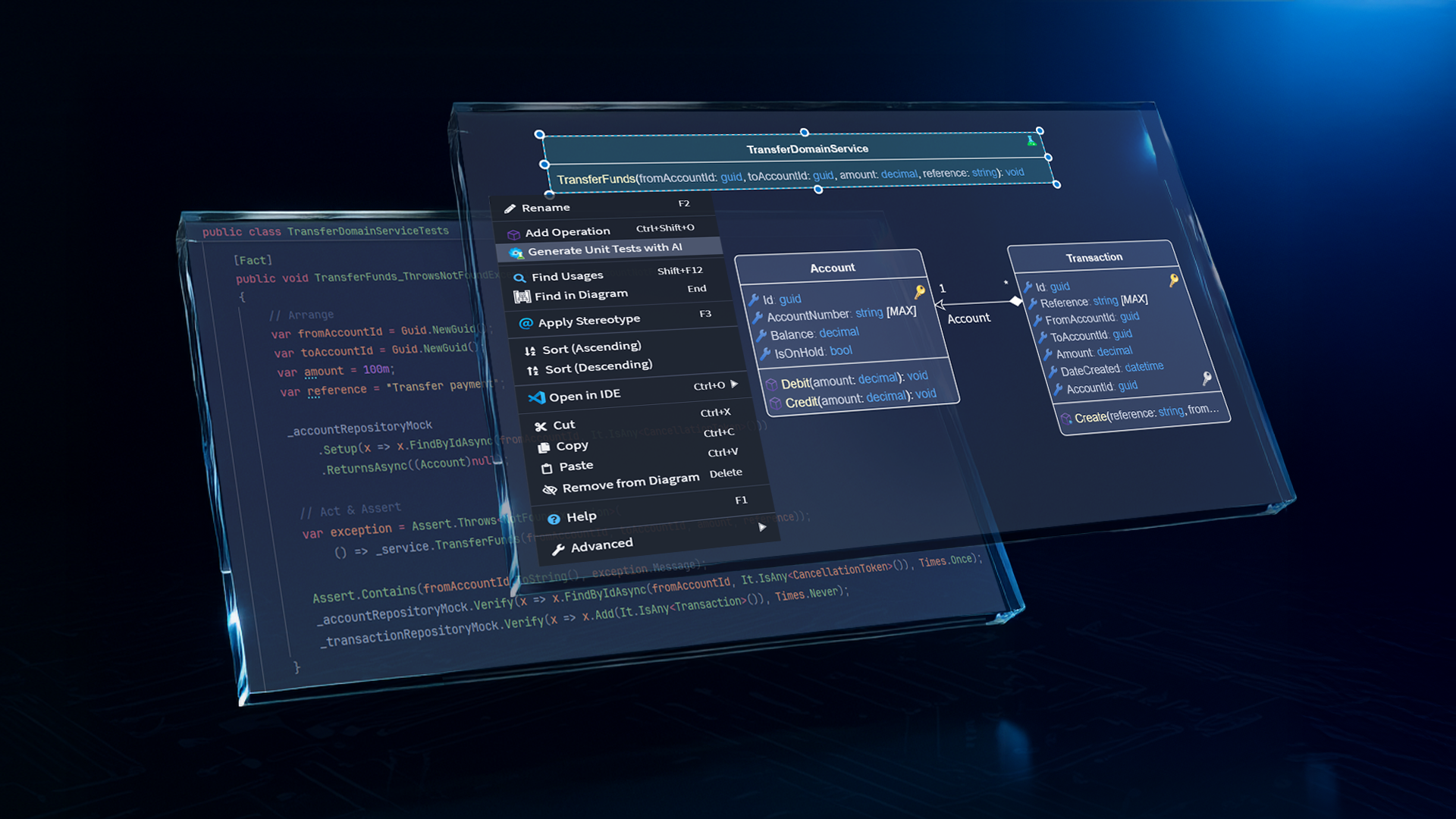
We've improved the prompting in Intent.Modules.AI.UnitTests to generate higher quality unit tests. The module now supports unit test generation for CQRS handlers (Commands and Queries), Integration Event handlers, Domain Event handlers, and Domain Services.
Right-click on any of these elements and select Generate Unit Tests with AI to let the module analyze your code context and model metadata, then generate comprehensive test implementations for review.
Available from:
- Intent.Modules.AI.UnitTests 1.0.0
Multiple Message Bus Providers
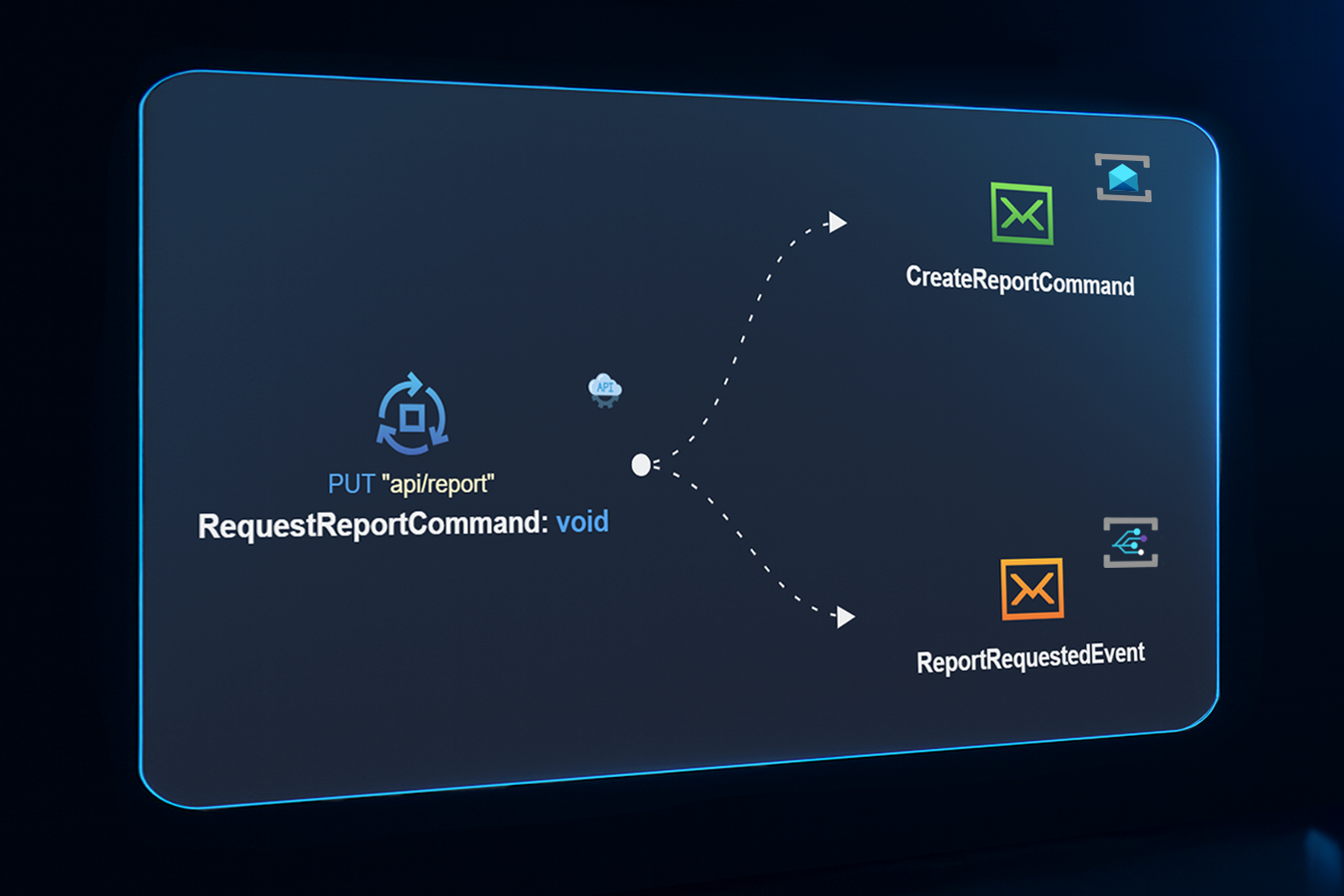
The eventing architecture now supports multiple message bus providers coexisting within a single application through a new Composite Message Bus infrastructure. This enables you to install and use multiple messaging providers simultaneously (e.g., Azure Service Bus, Azure Queue Storage, Azure Event Grid, Kafka, MassTransit, Solace) and automatically route messages to the appropriate provider.
The new IMessageBus interface serves as the primary eventing contract, while the legacy IEventBus interface remains fully backward compatible. When multiple providers are installed, the Composite Message Bus automatically orchestrates message routing. All the infrastructure plumbing is handled for you.
Available from:
- Intent.Modules.Eventing.Contracts 6.1.0
2 New Fundamentals training videos
We have added 2 new videos for round off the Fundamentals Training Series, these new videos cover
- #9 Managing and Updating Architectures – Learn how to manage and update application architecture, modules, and releases effectively during active development.
- #10 Essential Tips and Tricks – Learn how to navigate Intent Architect effectively, using shortcuts for navigating between tabs, "Search Anywhere" functionality, and much more.
You can access all videos directly from the Fundamentals Training Series Playlist or via the Fundamentals Tutorials landing page.
.NET 10 support
Full .NET 10 support has been applied in the relevant areas of Intent Architect.
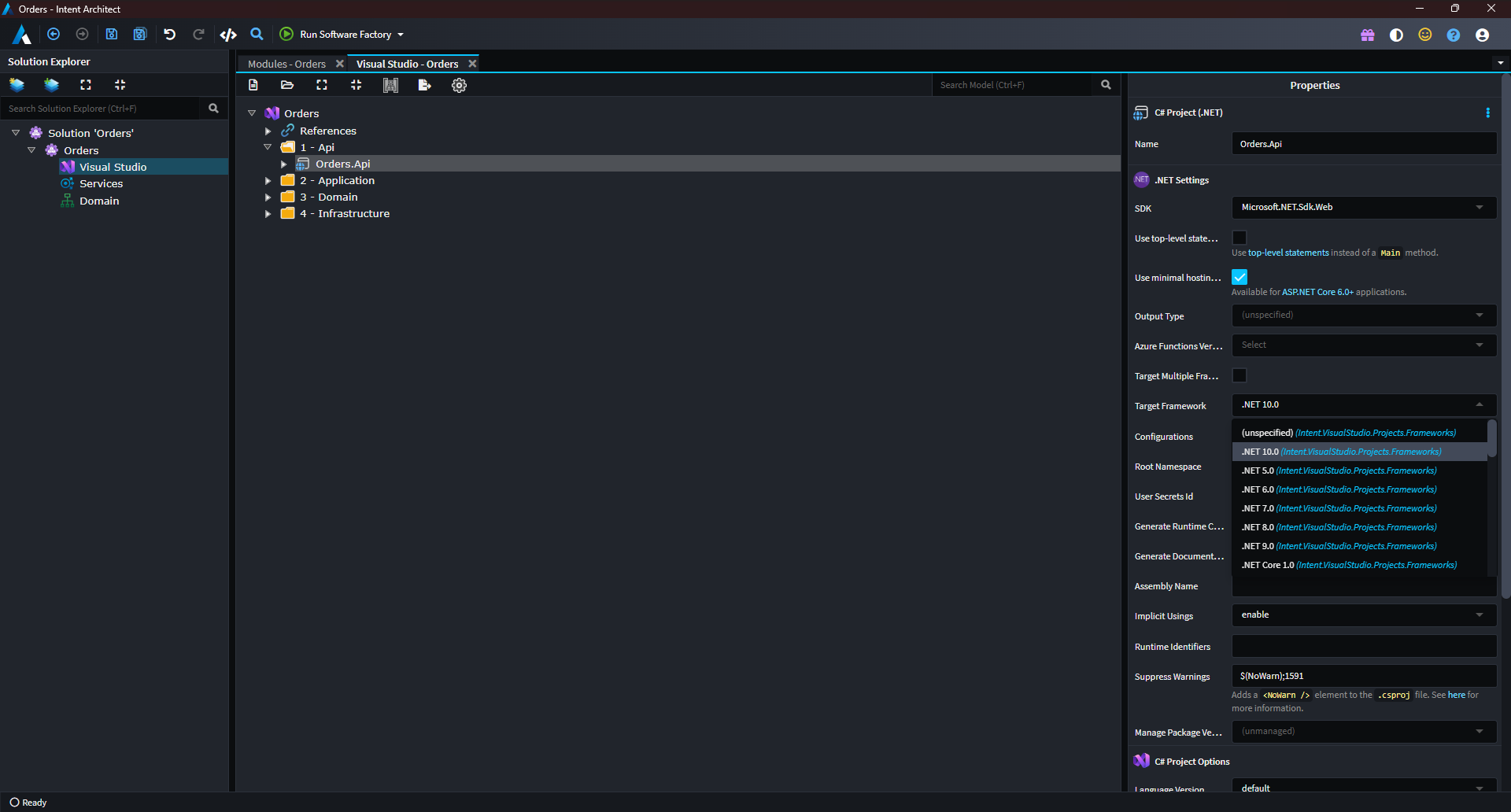
The Visual Studio Designer allows selecting .NET 10.0 as a Target Framework on projects:
Tip
To upgrade existing applications to .NET 10.0, simply select all projects in the Visual Studio Designer, change the Target Framework to .NET 10.0 and run the Software Factory to apply the changes.
All .NET Architecture Templates now have .NET 10.0 as an available option for Target Framework under Basic Setting:
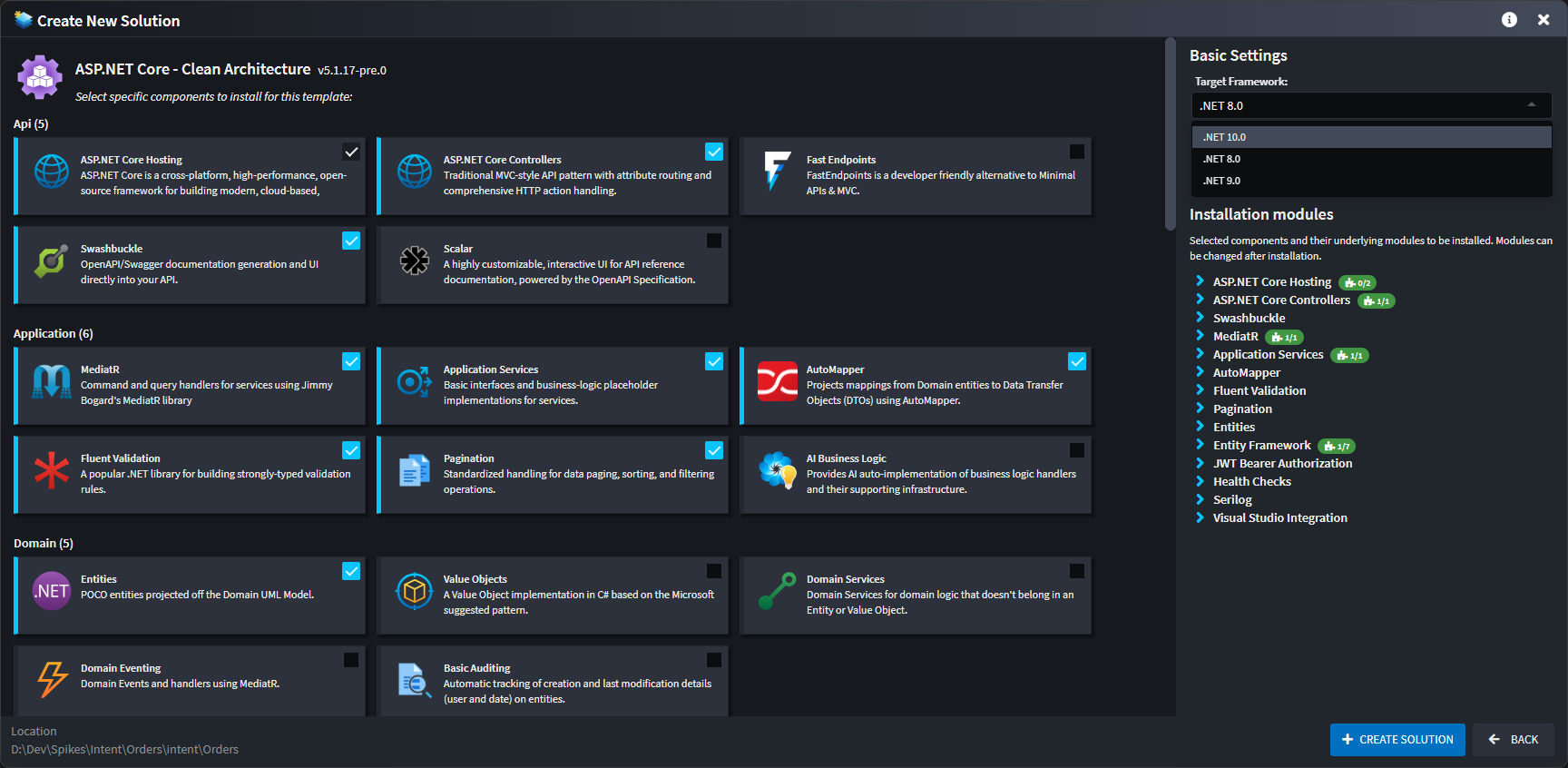
Finally, all .NET modules have been updated to install .NET 10 NuGet packages when available.
Available from:
- All applicable modules and architecture templates as of 2 December 2025.
System Suggestions
Intent Architect will now show a dialog on startup if there are any strongly recommended System Suggestions to be applied:
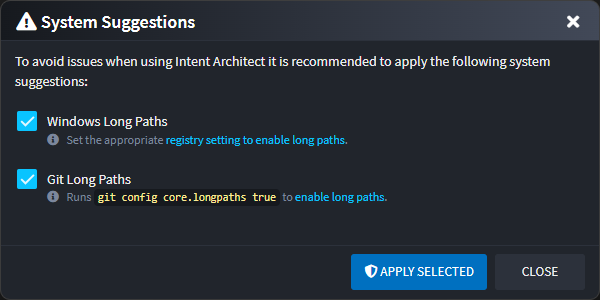
This feature comes as part of our ongoing effort to make Intent Architect more accessible for first time users and aims to address two common troubleshooting issues by suggesting the following:
Enabling "Windows Long Paths" – By default, Windows still uses an "antiquated" path-length limit that doesn’t align well with modern development practices. When this setting is off, long or nested project structures can trigger avoidable build or file-operation issues.
Enabling "Git Long Paths" – Due to the historic Windows path-length limitation, Git on Windows also enforces its own legacy path-length restriction, which can interfere with cloning or checking out repositories containing deeper folder structures. If disabled, it can surface confusing errors tied solely to file length.
If this dialog is dismissed it can be shown again by pressing the yellow warning triangle (⚠️) at the top right corner of the window.
Available from:
- Intent Architect 4.5.26
Paging Defaults
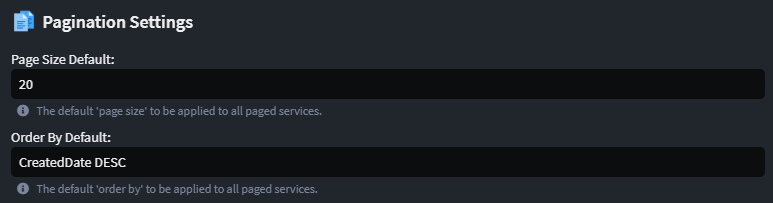
An application-level setting is now available to configure Paging Default Values that are automatically applied to all paged endpoints in your application.
These defaults allow you to centrally control how paging behaves without changing individual endpoints. You can:
- Set the default page size returned by all paged endpoints
- Set the default data ordering to ensure consistent paging behavior across the application.
These values can still be overridden on specific endpoints where needed, but if nothing is specified, the global defaults are used.
Note
Default paging values are automatically configured only for new applications.
For existing applications that upgrade the module, these values are not set automatically and must be configured explicitly in the Application Settings screen.
Available from:
- Intent.Application.Dtos.Pagination 4.1.4-pre.0
Cache Eviction
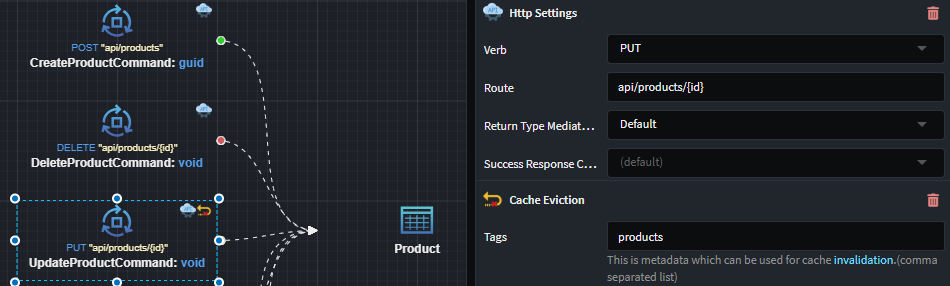
Endpoints can now be modelled to evict cached data by tag whenever they are invoked. This allows you to keep your cache in sync when (specifically) write operations, such as create, update or delete, are performed.
Available from:
- Intent.AspNetCore.OutputCaching.Redis 1.1.13-pre.1