Intent.AI.UnitTests
The Intent.AI.UnitTests module uses AI to automatically implement unit tests for the Handler method of a Command or Query, based on full context from generated code and model metadata provided by Intent Architect.
Note
To reliably generate unit tests, this module should be used in conjunction with the Intent.UnitTesting module.
The Intent.UnitTesting module generates the test infrastructure (e.g. test project and dependencies), while Intent.AI.UnitTests handles the test implementation.
Note
To use this feature, ensure that the required User Settings have been completed — including a valid API key for your selected AI provider.
Implement with AI
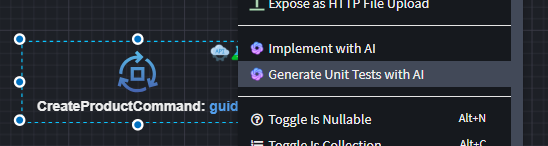
To generate unit tests for a Command or Query handler, right-click on the element and select Generate Unit Tests with AI:
Influencing Factors
The quality, relevance, and output location of the generated tests depend on several key factors.
Intent Modeling
Before using Generate Unit Tests with AI, make sure:
- Generated Code is up-to-date: Run the Software Factory to apply all outstanding code changes.
- Command/Query is mapped: Ensure the
CommandorQueryis associated with the appropriateEntityusing aCreate Entity,Update Entity, orQuery Entityaction (a dotted line should appear between the elements). - Unit Test infrastructure is Set Up: Ensure the
Intent.UnitTestingmodule has been installed, and that theCommandorQueryin question has theUnit Teststereotype applied.
Adjusting the Prompt
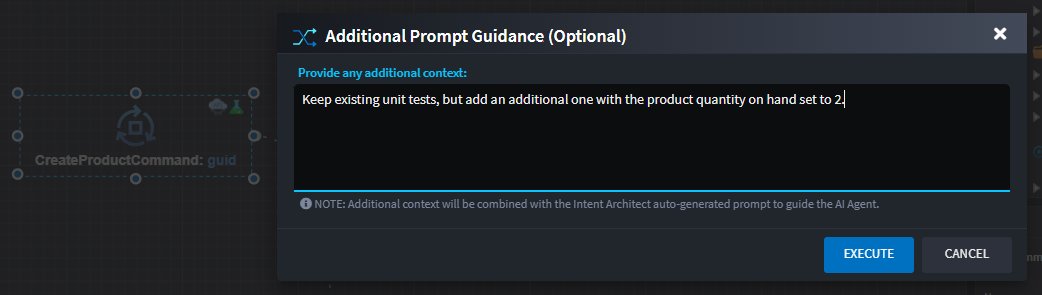
While Intent Architect supplies a default prompt and relevant file context to the AI provider, you can optionally provide additional context to refine the unit test generated.
Enter extra prompt details here:
💡 It’s recommended to try the default implementation first. If needed, rerun with added context to improve results.
Note
AI responses are not deterministic — each execution may produce different results. Use the additional context prompt to guide the AI toward your desired implementation.
Code Changes
Once the AI Agent completes the task, suggested code changes will be displayed for review:
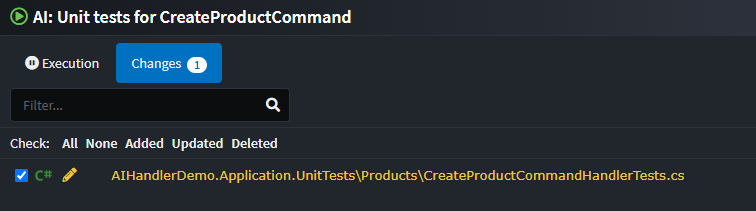
You can review and apply the changes through the familiar Software Factory interface. If the results aren’t satisfactory, rerun the feature with revised prompt guidance.
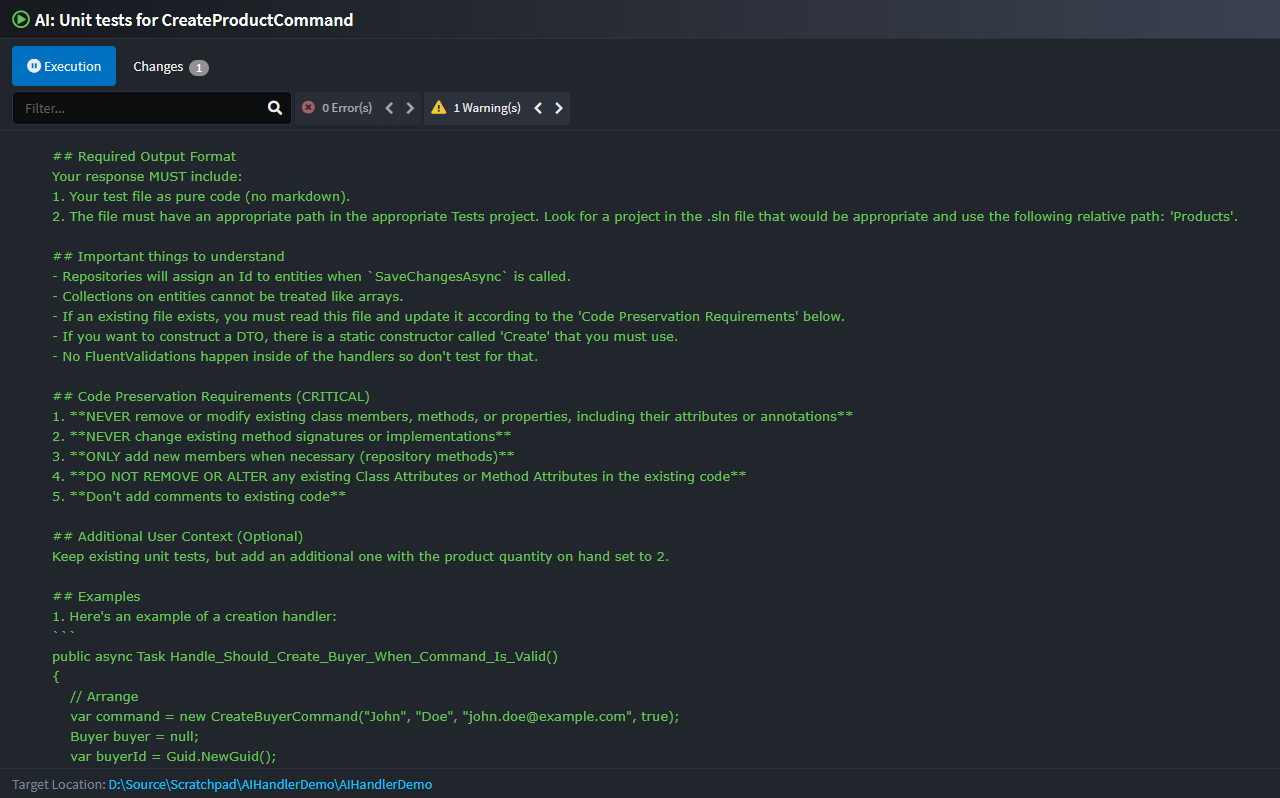
Execution Output
Full logs of the execution, including the AI prompt and any errors, are available in the Execution tab: